Free PDF Crop Tool — Crop Shipping Labels to 4×6
Trim the blank A4 around a label and get a clean 4×6 PDF, ready for a thermal printer.
100% free · no upload · no sign-upThe SKUStamp PDF crop tool lets you crop a shipping label PDF down to a clean 4×6 in seconds. Marketplaces and couriers often hand you an A4 page with a small label in one corner and a sea of white space around it — wasteful on a thermal printer and messy on paper. Drag the crop box over the label, or click the 4×6 preset, and download a tidy, print-ready label. It runs entirely in your browser, with a live preview and no upload.
Cropping to 4×6 means one clean label per parcel, no half-blank sheets, and no scissors. It's the quickest way to turn a Royal Mail Click & Drop A4 export or an eBay/Vinted label into something a thermal label printer can handle at full size.
What the crop tool does
- Crop shipping label PDFs — drag a box over the label to keep only what you need.
- 4×6 preset — one click snaps the crop to a standard thermal label size.
- Live preview — see exactly what you'll get before you download.
- Full quality kept — it trims the page box without recompressing, so the barcode stays crisp.
- Browser-based — free, private, no upload and nothing stored.
Because the tool crops the actual PDF page rather than turning it into an image, the result is still a true vector PDF — the address text and barcode remain razor-sharp and fully scannable. That's the difference between a crop that prints cleanly on a thermal printer and a screenshot that comes out fuzzy.
How to crop a shipping label to 4×6
- Upload your label PDF — an A4 export or any size.
- Choose the 4×6 preset, or drag and resize the crop box by hand.
- Check the live preview to make sure the barcode and address are inside the box.
- Download your cropped, print-ready 4×6 label.
You can also crop to other sizes — 7×5, A4 or a custom box — if your printer or label stock is different. The readout shows the crop size in inches, millimetres and pixels so you can be precise when you need to be.
Who it's for
- Vinted & Depop sellers printing on a thermal printer
- eBay sellers trimming A4 postage labels
- Anyone using a 4×6 label printer
- Warehouse staff standardising label sizes
If you've upgraded from printing labels on A4 to a dedicated 4×6 thermal printer, cropping is the missing step that makes courier PDFs fit. One quick crop and every label prints edge-to-edge at the right size.
Supported labels & platforms
Crop the label PDFs you already download — no conversion needed:
Royal Mail Click & Drop, Evri, InPost and DPD all export labels you can crop here, as can Vinted, eBay and Depop. The crop tool never touches the barcode data — it simply changes the visible page, so your label scans exactly as before.
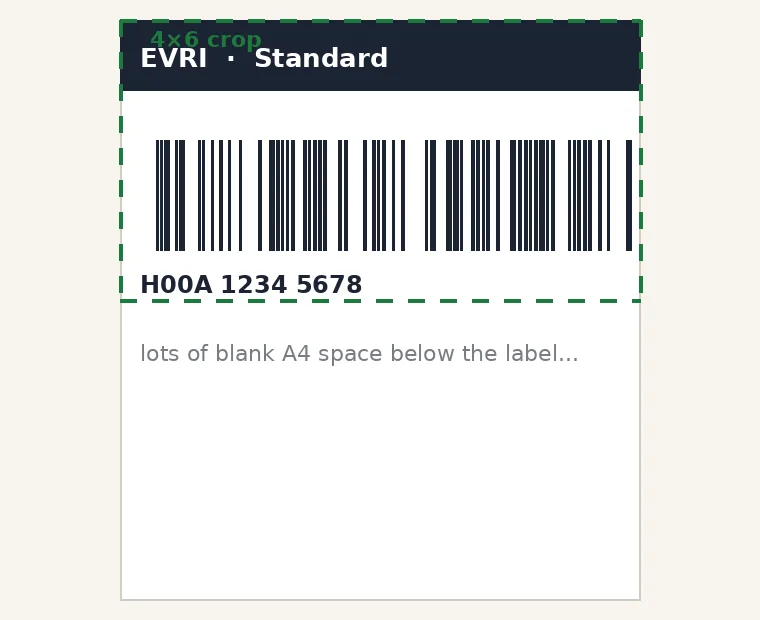
Cropping the blank A4 down to a clean 4×6 label
Frequently asked questions
How do I crop a PDF to 4×6?
Open the PDF crop tool above, upload your label PDF, then click the 4×6 preset or drag the crop box over the label. Check the live preview so the barcode and address sit inside the box, then download. The result is a clean 4×6 PDF, sized exactly for a thermal label printer, produced entirely in your browser with no upload.
Why should I crop A4 shipping labels?
Many couriers and marketplaces give you an A4 page with a small label in one corner. Printed as-is that wastes paper and won't fit a 4×6 thermal printer. Cropping trims the blank space so you get one clean label per parcel that prints edge-to-edge at the correct size, saving paper, ink or ribbon and time.
Does cropping reduce the label quality?
No. The tool crops the actual PDF page box rather than converting the label to an image, so nothing is recompressed. The address text and barcode stay as sharp vectors and scan exactly as they did before — you're simply changing which part of the page is visible, not the label data itself.
Can I crop to other sizes, not just 4×6?
Yes. As well as the 4×6 preset there are 7×5, A4 and custom options, and you can drag the crop box to any size by hand. A readout shows the crop dimensions in inches, millimetres and pixels, so you can match an unusual label sheet or thermal size precisely.
Is the PDF crop tool free?
Yes, completely free with no sign-up and no watermark. It runs in your browser, so your label PDF is never uploaded and nothing is stored on a server. Crop as many labels as you need, as often as you like.