Free PDF Rotate Tool — Rotate Shipping Labels
Turn a sideways or landscape label the right way up for clean, edge-to-edge printing.
100% free · no upload · no sign-upThe SKUStamp PDF rotate tool lets you rotate a shipping label so it prints upright. Some couriers and marketplaces export labels sideways or in landscape, which prints awkwardly and can jam a thermal printer's layout. Rotate the label left or right until it's the right way up, then download a clean, print-ready PDF. It runs in your browser with a live preview, keeps full quality, and never uploads your file.
Getting the orientation right means the whole label prints on one 4×6 without cutting off the barcode or the address — no more turning the paper by hand or re-printing wasted labels.
What the rotate tool does
- Rotate a PDF label — turn it 90° left or right, or 180°.
- Landscape to portrait — stand a sideways label upright for a 4×6 printer.
- Live preview — see the orientation before you download.
- Full quality kept — it rotates the page without recompressing the barcode.
- Browser-based — free, private, no upload and nothing stored.
Like the crop tool, this works on the real PDF page, so the rotated label stays a crisp vector — the barcode and address don't soften or pixelate. It's a one-click fix for the labels that always seem to come out sideways.
How to rotate a shipping label
- Upload your label PDF.
- Rotate left or right until the label sits upright in the preview.
- Check it reads correctly — address at the top, barcode straight.
- Download your upright, print-ready label.
If you have a stack of labels that all came out the same way, rotate and download them the same way — it takes a couple of seconds each and saves a mis-print every time.
Who it's for
- Vinted & Depop sellers with sideways label exports
- eBay sellers printing to 4×6
- Anyone whose label prints rotated
- Warehouse staff standardising orientation
If your labels keep coming out landscape when your printer wants portrait, this is the quick fix that makes them line up.
Supported labels & platforms
Rotate the label PDFs you already download — nothing to convert:
Royal Mail, Evri, InPost, DPD, Vinted, eBay and Depop labels can all be rotated here. The barcode data is untouched — only the page orientation changes — so your label still scans perfectly.
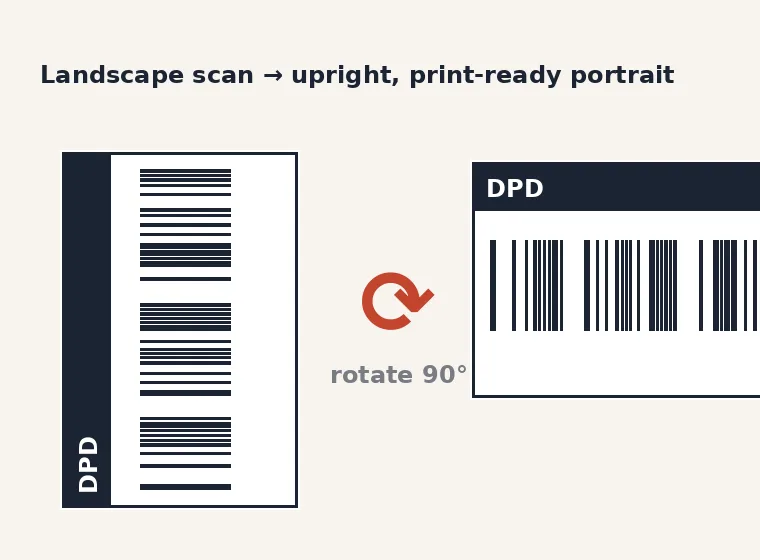
Rotating a landscape label upright for printing
Frequently asked questions
How do I rotate a PDF shipping label?
Open the PDF rotate tool above, upload your label, then click rotate left or right until it sits upright in the live preview. When the address is at the top and the barcode is straight, download the file. The whole thing happens in your browser, so your label is never uploaded, and the rotated PDF keeps its full print quality.
How do I turn a landscape label into portrait?
Upload the landscape label and rotate it 90° — left or right depending on which way it's lying — until it's portrait in the preview, then download. This is the usual fix when a courier exports a sideways label that won't fit a 4×6 thermal printer, and it takes a couple of seconds per label.
Does rotating reduce the quality?
No. The tool rotates the actual PDF page rather than converting it to an image, so nothing is recompressed. The barcode and address stay as sharp vectors and scan exactly as before — only the orientation of the page changes.
Can I rotate more than one label?
Yes. Rotate and download each label in a couple of seconds. If a batch all came out the same way, you can apply the same rotation to each and save a mis-print every time — far quicker than turning the paper by hand at the printer.
Is the PDF rotate tool free?
Yes, completely free with no sign-up and no watermark. It runs entirely in your browser, so your label PDF never leaves your computer and nothing is stored. Rotate as many labels as you like.